
Minecraft Edition refers to the different versions of Minecraft developed for various platforms and player needs. Each edition offers unique features, compatibility, multiplayer options, and gameplay experiences. Whether you’re a student, parent, educator, or gamer in India, understanding the differences between Minecraft editions helps you make the right choice.
This guide explains every major Minecraft edition, compares their features, discusses their educational value, highlights their benefits and limitations, and helps you decide which edition best suits your goals.
What Is Minecraft Edition?
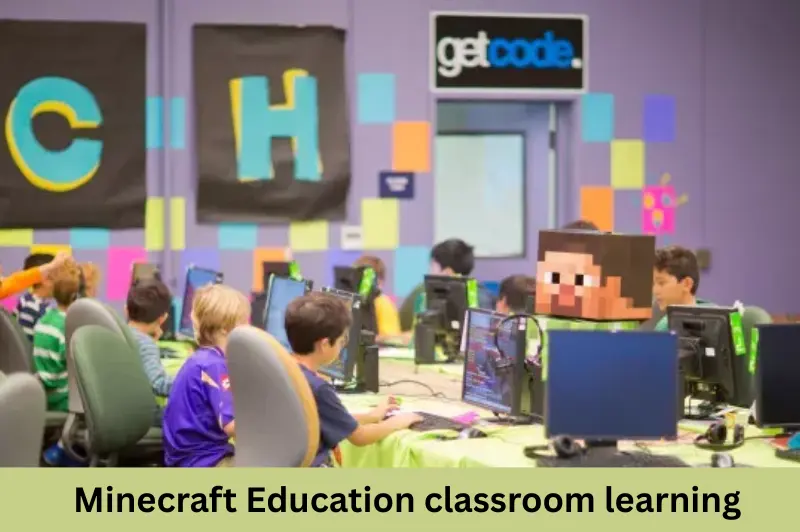
A Minecraft Edition is a specific version of Minecraft designed for particular devices or purposes. While all editions share the same core concept of building, exploring, surviving, and creating, they differ in compatibility, gameplay mechanics, updates, and multiplayer support.
The most popular editions today include:
- Minecraft: Java Edition
- Minecraft: Bedrock Edition
- Minecraft Education
- Minecraft Preview (testing version)
Older editions such as Console Edition and Pocket Edition have largely been replaced by Bedrock Edition.
Why Are There Different Minecraft Editions?
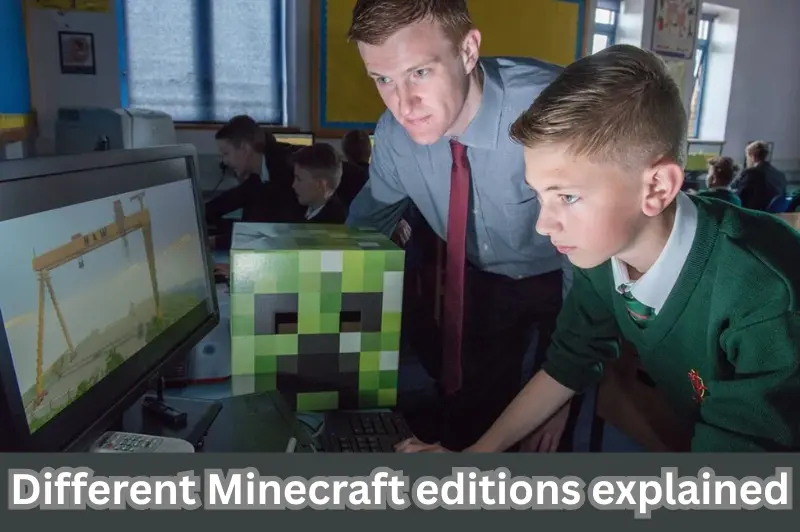
Different editions exist because Minecraft supports multiple operating systems, gaming consoles, and educational environments.
The main reasons include:
- Platform compatibility
- Performance optimization
- Cross-platform multiplayer
- Educational use
- Technical differences between programming languages
For example, Java Edition is built using Java, while Bedrock Edition uses C++ for better performance across multiple devices.
Main Minecraft Editions Explained
Minecraft Java Edition
Minecraft Java Edition is the original version released for Windows, macOS, and Linux.
It is widely preferred by experienced players because it offers greater customization.
Key Features
- Exclusive to desktop computers
- Supports thousands of community-created mods
- Free access to custom servers
- Advanced commands
- Extensive resource packs
- Large multiplayer communities
Best For
- Advanced players
- Content creators
- Modding enthusiasts
- PC gamers
Advantages
- Unlimited customization
- Huge modding community
- Flexible multiplayer options
- Early access to experimental features
Limitations
- No official cross-platform play with consoles
- Requires a capable computer
- Can be more complex for beginners
Minecraft Bedrock Edition
Minecraft Bedrock Edition is designed for cross-platform gaming.
It works on:
- Windows
- Android
- iPhone
- Xbox
- PlayStation
- Nintendo Switch
Players on these devices can play together using the same edition.
Key Features
- Cross-platform multiplayer
- Better performance on low-end hardware
- Marketplace for skins and worlds
- Smooth gameplay
- Controller support
Best For
- Families
- Casual players
- Mobile users
- Console gamers
Advantages
- Cross-play support
- Faster loading times
- Easy multiplayer
- Optimized performance
Limitations
- Limited mod support compared to Java
- Marketplace contains paid content
- Some advanced commands differ from Java Edition
Minecraft Education
Minecraft Education is specifically designed for learning.
Schools and educational institutions use it to teach subjects such as:
- Mathematics
- Science
- History
- Coding
- Geography
- Digital citizenship
- Teamwork
Teachers can create interactive lessons inside Minecraft’s virtual world.
Educational Benefits
Students can:
- Solve real-world problems
- Build historical monuments
- Learn programming
- Improve collaboration
- Practice creativity
- Develop critical thinking
Minecraft Education includes classroom management tools unavailable in other editions.
Minecraft Preview
Minecraft Preview allows players to test upcoming features before official release.
It helps developers identify bugs and collect player feedback.
This edition is mainly intended for:
- Testers
- Developers
- Enthusiasts interested in new updates
Because features are experimental, stability is not always guaranteed.
Minecraft Editions Comparison
| Feature | Java Edition | Bedrock Edition | Minecraft Education |
|---|---|---|---|
| PC Support | Yes | Yes | Yes |
| Mobile Support | No | Yes | Yes |
| Console Support | No | Yes | Limited |
| Cross-Platform Play | No | Yes | Education Network |
| Mods | Excellent | Limited | Limited |
| Marketplace | No | Yes | No |
| Educational Tools | Basic | Basic | Excellent |
| Best For | Advanced Players | Families | Schools |
Which Minecraft Edition Is Best for Indian Users?
The best Minecraft edition depends on your needs.
Choose Java Edition if you:
- Own a gaming PC
- Want mods
- Enjoy technical gameplay
- Prefer custom multiplayer servers
Choose Bedrock Edition if you:
- Play on mobile
- Own a console
- Want cross-platform multiplayer
- Prefer smoother performance
Choose Minecraft Education if you:
- Are a teacher
- Are a student
- Use Minecraft for classroom learning
- Want coding activities
Educational Benefits of Minecraft Edition
Minecraft is much more than entertainment.
Many educators use it to encourage project-based learning.
Students learn through practical activities instead of passive reading.
Examples include:
- Building ancient civilizations
- Designing sustainable cities
- Learning geometry through construction
- Programming with block coding
- Understanding ecosystems
The open-world environment encourages experimentation and creativity.
Skills Students Can Develop
Minecraft helps learners build valuable real-world skills.
These include:
- Problem-solving
- Creativity
- Communication
- Collaboration
- Planning
- Resource management
- Leadership
- Logical thinking
- Basic coding
- Spatial awareness
These skills are valuable for both academic learning and future careers.
How to Choose the Right Minecraft Edition
Before buying Minecraft, consider these factors.
1. Device Compatibility
Check whether you use:
- Windows
- Android
- iPhone
- Mac
- Linux
- Xbox
- PlayStation
- Nintendo Switch
Not every edition supports every platform.
2. Multiplayer Needs
If you want to play with friends using different devices, Bedrock Edition is usually the better option.
3. Customization
Players interested in:
- Mods
- Custom servers
- Advanced gameplay
should consider Java Edition.
4. Educational Purpose
Schools should use Minecraft Education because it includes teacher controls and educational content.
Common Mistakes When Choosing a Minecraft Edition
Many beginners accidentally purchase the wrong edition.
Avoid these mistakes:
- Assuming every edition works on every device
- Buying Java when cross-play is required
- Ignoring hardware requirements
- Confusing Minecraft Education with the standard game
- Expecting identical features across all editions
Checking compatibility before purchasing saves time and money.
Practical Tips Before Buying Minecraft
Follow these recommendations:
- Verify device compatibility.
- Decide whether multiplayer matters.
- Consider future upgrades.
- Compare edition features carefully.
- Purchase from official sources.
- Review system requirements before installation.
Is Minecraft Good for Learning?
Yes.
Minecraft can support learning when used appropriately.
Research and classroom experiences have shown that game-based learning can improve engagement, collaboration, and creativity when guided by teachers.
Minecraft Education is specifically designed for educational environments and includes lesson plans, coding activities, classroom management tools, and collaborative projects.
Parents should still encourage balanced screen time and age-appropriate supervision.
Trusted External Reference
Want to compare versions? Check out our Minecraft Java vs Bedrock Guide before making your decision.
Internal Linking Opportunity
If you’re new to the game, read our Minecraft Java vs Bedrock Guide to understand the key differences before choosing an edition. 2>
Frequently Asked Questions
1. What is the difference between Minecraft Java Edition and Bedrock Edition?
Java Edition is designed for desktop computers and offers extensive mod support, custom servers, and advanced customization. Bedrock Edition focuses on cross-platform compatibility, allowing players on mobile devices, consoles, and Windows PCs to play together with better performance across supported devices.
2. Which Minecraft edition is best for students?
Minecraft Education is the best option for classroom learning because it includes educational tools, coding lessons, classroom management features, and collaborative activities designed specifically for teachers and students. For personal use outside school, Bedrock or Java may be more suitable depending on the device.
3. Can Java Edition players play with Bedrock Edition players?
No. Java Edition and Bedrock Edition use different game architectures and do not officially support cross-play with each other. Players must generally use the same edition to join multiplayer worlds or servers.
4. Is Minecraft Education free?
Minecraft Education is available through educational licensing. Some schools provide access for students and teachers, while trial options may be available. Licensing policies can change, so check the official Minecraft website for the latest details.
5. Which Minecraft edition should beginners choose?
Most beginners benefit from Bedrock Edition because it is easy to use, performs well on many devices, and supports cross-platform multiplayer. Players interested in advanced customization and mods may eventually prefer Java Edition on a compatible PC.
Conclusion
Choosing the right Minecraft Edition depends on your device, learning goals, and preferred style of play. Java Edition is ideal for players who enjoy customization and modding, Bedrock Edition offers excellent cross-platform gameplay for families and friends, and Minecraft Education provides powerful tools for teaching and learning. Before purchasing, compare compatibility, multiplayer features, and educational needs to select the edition that best matches your requirements.