
Introduction
Download Minecraft safely by choosing the right edition for your needs. Whether you are a student, parent, teacher, or casual player in India, understanding which version to install is important before you begin.
This guide explains how to download Minecraft, the differences between available editions, system requirements, installation steps, educational benefits, common mistakes to avoid, and answers to frequently asked questions. By the end, you’ll know exactly which version is best for you and how to install it securely.
Download Minecraft
is the first step toward exploring a world of creativity, adventure, and interactive learning. Whether you want to build amazing structures, play with friends, or use Minecraft Education for school projects, choosing the right edition is essential. This guide helps users in India understand the available versions, safe download methods, system requirements, and the educational benefits of Minecraft so they can get started with confidence.
What Is Minecraft?
Minecraft is one of the world’s most popular sandbox video games developed by Mojang Studios. Instead of following a fixed storyline, players can explore, build, craft, survive, and create their own adventures.
Unlike many traditional games, Minecraft encourages creativity, logical thinking, collaboration, and problem-solving. These features have also made it a valuable learning tool in schools around the world.
Popular Minecraft editions include:
- Minecraft: Java Edition
- Minecraft: Bedrock Edition
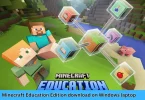
- Minecraft Education
Each edition serves different purposes depending on your device and learning needs.
Why Download Minecraft?
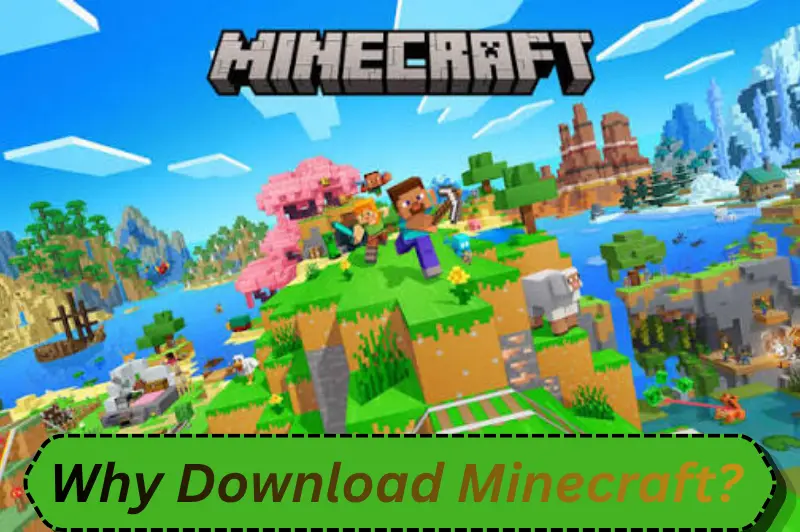
Downloading Minecraft gives users access to a complete gaming and learning experience.
Some major benefits include:
- Creative building without limits
- Survival gameplay with resource management
- Multiplayer collaboration
- STEM learning opportunities
- Coding and Redstone engineering
- Classroom learning through Minecraft Education
- Cross-platform gameplay (Bedrock Edition)
Students in India increasingly use Minecraft Education to improve creativity and engage with interactive classroom activities.
Types of Minecraft You Can Download
Choosing the correct version is the most important step before you download Minecraft.
| Edition | Best For | Platforms |
| Minecraft Java Edition | PC gamers and mod users | Windows, macOS, Linux |
| Minecraft Bedrock Edition | Cross-platform gaming | Windows, Android, iOS, Xbox, PlayStation, Nintendo Switch |
| Minecraft Education | Schools and students | Windows, macOS, iPad, Chromebook |
If you’re downloading Minecraft for educational purposes, Minecraft Education offers classroom tools, lesson libraries, coding activities, and multiplayer collaboration.
How to Download Minecraft Safely
Always download Minecraft from official sources to avoid malware, fake installers, or security risks.
Step 1
Visit the official Minecraft website.
Step 2
Select your preferred edition.
Step 3
Sign in with your Microsoft account.
Step 4
Purchase the game if required.
Step 5
Download the installer.
Step 6
Run the installer.
Step 7
Launch Minecraft and complete any required updates.
System Requirements
Before installing Minecraft, ensure your device meets the minimum requirements.
Windows
- Windows 10 or Windows 11
- 4 GB RAM minimum
- Internet connection
- Updated graphics drivers
macOS
- Recent macOS version
- Apple Silicon or Intel processor
- Stable internet connection
Android
- Android 8.0 or newer
- Enough storage space
iPhone and iPad
- Compatible iOS or iPadOS version
- Available storage
Performance improves significantly on devices with more RAM and modern processors.
Minecraft Education for Indian Students
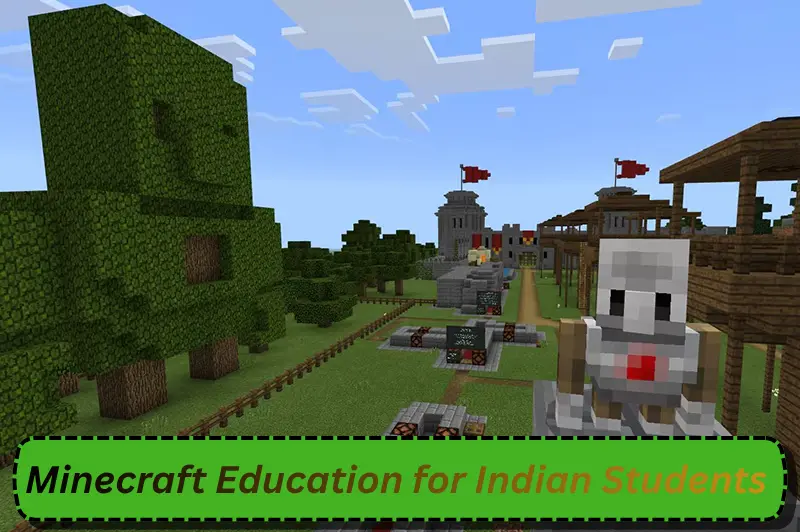
Minecraft Education is designed specifically for classroom learning.
It supports subjects such as:
- Mathematics
- Science
- Geography
- History
- Computer Science
- English
- Environmental Studies
Students can participate in collaborative projects while teachers manage classroom activities through built-in educational tools.
Some learning features include:
- Coding with MakeCode
- Python programming support
- Chemistry experiments
- Lesson library
- Classroom management tools
- Secure multiplayer
Benefits of Download Minecraft for Learning
Minecraft is more than entertainment.
Educational advantages include:
Improves Creativity
Students can design structures, cities, machines, and landscapes using their imagination.
Develops Problem-Solving Skills
Survival mode encourages planning, decision-making, and resource management.
Encourages Teamwork
Multiplayer activities teach communication and collaboration.
Supports STEM Education
Students learn engineering concepts through Redstone circuits and coding activities.
Makes Learning Interactive
Instead of reading about historical monuments, students can recreate them inside Minecraft.
Common Mistakes to Avoid
Many users make avoidable mistakes when installing Minecraft.
Avoid these issues:
- Downloading from unofficial websites
- Ignoring system requirements
- Using outdated operating systems
- Sharing Microsoft account credentials
- Installing unknown mods without checking compatibility
- Skipping software updates
Following official installation methods improves security and game performance.
Tips for a Better Minecraft Experience
To enjoy Minecraft smoothly:
- Keep the game updated.
- Use a stable internet connection for multiplayer.
- Regularly back up important worlds.
- Install trusted mods only for Java Edition.
- Allocate enough storage space.
- Keep graphics drivers updated.
Minecraft Java vs Bedrock
Choosing between Java and Bedrock depends on your goals.
| Feature | | Java Edition | | Bedrock Edition |
| Mods | Excellent support | Limited |
| Cross-platform | No | Yes |
| Performance | PC-focused | Optimized for multiple devices |
| Multiplayer | Java servers | Cross-platform servers |
| Best For | Advanced users | Families and beginners |
Students generally prefer Minecraft Education, while gamers often choose Java or Bedrock depending on their devices.
Is Download Minecraft Safe?
Yes.
Downloading Minecraft is safe when you:
- Use the official Minecraft website.
- Download through Microsoft Store where applicable.
- Avoid cracked versions.
- Keep antivirus software enabled.
- Install official updates.
Never download unofficial copies because they may contain malware or violate licensing terms.
FAQs
1. Is Minecraft free to download?
Minecraft is generally a paid game. Some platforms offer free trials, but the full version requires a purchase. Minecraft Education may be available through eligible schools or educational institutions with appropriate licensing.
2. Which Minecraft edition is best for students in India?
Minecraft Education is the best option for classroom learning because it includes coding lessons, educational worlds, teacher controls, and collaborative activities designed specifically for schools and students.
3. Can Minecraft run on a low-end computer?
Yes, Minecraft can run on many entry-level computers if they meet the minimum system requirements. Lowering graphics settings and closing background applications can improve performance on older devices.
4. Is Minecraft good for education?
Yes. Minecraft encourages creativity, critical thinking, collaboration, and problem-solving. Teachers also use Minecraft Education to teach coding, mathematics, science, geography, and history through interactive activities.
5. How can I download Minecraft safely?
Always download Minecraft from the official Minecraft website or authorized app stores. Avoid unofficial websites, cracked installers, and modified versions because they may contain malware or security risks.
Conclusion
Download Minecraft from trusted sources to enjoy a secure, enjoyable, and educational experience. Whether you choose Java Edition, Bedrock Edition, or Minecraft Education, selecting the right version ensures better performance and access to the features you need. For students and educators in India, Minecraft Education provides an engaging platform that combines creativity with real learning opportunities. Before installing, verify your device meets the system requirements and always keep the game updated for the best experience.