Educational Minecraft is much more than a popular sandbox game. It is an interactive learning platform that helps students develop creativity, problem-solving skills, teamwork, coding knowledge, and subject understanding through hands-on activities.
Whether you are a student, parent, or teacher in India, this guide explains everything you need to know about educational Minecraft. You’ll learn how it works, its benefits, classroom uses, limitations, practical tips, and how it supports modern education.
Unlike traditional learning methods that rely heavily on memorization, Minecraft encourages students to build, experiment, collaborate, and discover concepts by doing. This makes learning more engaging and memorable.
What Is Educational Minecraft?
Educational Minecraft refers to using Minecraft as a learning tool instead of only for entertainment. The most popular version designed specifically for education is Minecraft Education, which includes classroom-friendly features, lesson templates, assessment tools, and collaboration options.
Students learn by creating virtual worlds where they solve problems, complete challenges, and build projects related to school subjects.
Instead of simply reading about a topic, learners can experience it in a digital environment.
For example:
- Build historical monuments
- Design scientific experiments
- Create mathematical models
- Learn programming with coding blocks
- Practice teamwork through collaborative projects
This hands-on approach makes complex concepts easier to understand.
Why Is Educational Minecraft Popular?
Educational Minecraft has become popular because it combines learning with creativity.
Instead of passive learning, students actively participate in lessons.
Major reasons for its popularity include:
- Interactive learning experiences
- Better student engagement
- Improved creativity
- Safe digital collaboration
- Support for multiple school subjects
- Coding and STEM education
- Critical thinking development
Teachers also appreciate its flexibility because lessons can be customized according to different age groups.
How Educational Minecraft Works
Educational Minecraft places students inside a virtual world where they receive learning objectives.
Students complete activities by:
- Building structures
- Solving puzzles
- Conducting experiments
- Programming characters
- Exploring virtual environments
- Working with classmates
Teachers can monitor progress, guide students, and assess completed projects.
This project-based learning method helps students understand concepts rather than memorize facts.
Educational Minecraft vs Regular Minecraft
| Feature | Minecraft Education | Regular Minecraft |
|---|---|---|
| Classroom tools | Yes | No |
| Teacher controls | Yes | Limited |
| Lesson library | Yes | No |
| Coding integration | Yes | Basic |
| Student collaboration | Advanced | Standard Multiplayer |
| Assessment features | Yes | No |
| Educational content | Built-in | User-created |
For schools, Minecraft Education is the better choice because it includes features designed specifically for teaching.
Benefits of Educational Minecraft
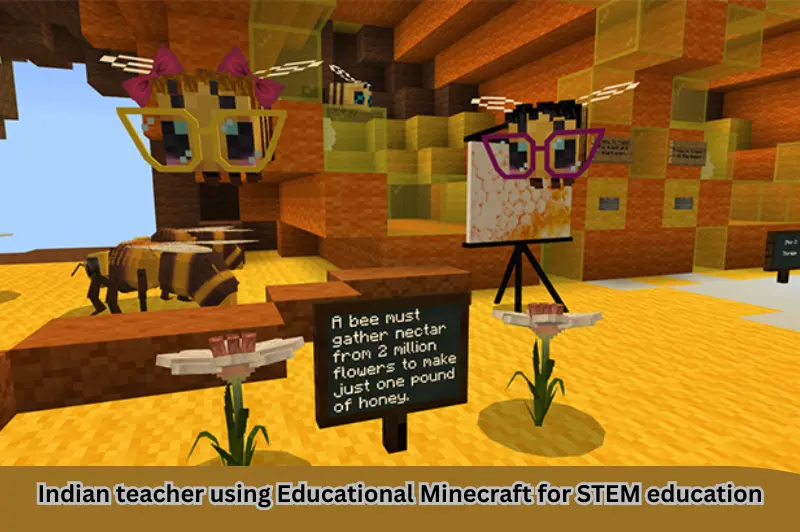
Educational Minecraft offers several academic and personal development benefits.
Improves Creativity
Students design buildings, cities, machines, and models using their imagination.
Creative thinking becomes part of the learning process instead of being a separate activity.
Develops Problem-Solving Skills
Many classroom challenges require students to think logically before taking action.
They learn to:
- Analyze situations
- Test solutions
- Correct mistakes
- Improve designs
These are valuable life skills.
Encourages Teamwork
Many projects require collaboration.
Students learn how to:
- Communicate effectively
- Divide responsibilities
- Respect different ideas
- Achieve shared goals
These teamwork skills are useful both inside and outside the classroom.
Makes Learning Fun
Students are naturally more engaged when learning feels like exploration instead of routine classroom work.
Higher engagement often leads to better participation and improved understanding.
Supports STEM Education
Minecraft supports learning in:
- Science
- Technology
- Engineering
- Mathematics
Students can build engineering models, explore ecosystems, simulate scientific experiments, and solve mathematical challenges.
Introduces Coding
Minecraft Education includes coding tools using block-based programming and Python.
Students can:
- Automate tasks
- Write simple programs
- Understand programming logic
- Develop computational thinking
Coding becomes less intimidating through visual learning.
Subjects That Can Be Taught Using Educational Minecraft
Educational Minecraft supports numerous school subjects.
Mathematics
Students can learn:
- Geometry
- Area
- Volume
- Coordinates
- Ratios
- Measurement
Building structures naturally reinforces mathematical concepts.
Science
Teachers can explain:
- Ecosystems
- Weather
- Chemical reactions
- Space exploration
- Renewable energy
Students interact with scientific ideas instead of only reading about them.
History
Historical events become more engaging when students recreate famous landmarks.
Examples include:
- Ancient civilizations
- Indian forts
- Historical monuments
- World heritage sites
Building these structures encourages research and deeper understanding.
Geography
Students explore:
- Landforms
- Climate
- Maps
- Rivers
- Mountains
- Urban planning
Virtual exploration strengthens geographical understanding.
Language Learning
Teachers can create activities involving:
- Story writing
- Reading comprehension
- Vocabulary
- Public speaking
- Role-playing
Students become active participants rather than passive readers.
Computer Science
Educational Minecraft is widely used to teach:
- Coding
- Algorithms
- Logic
- Artificial Intelligence basics
- Digital citizenship
Educational Minecraft for Indian Schools
Indian schools are increasingly adopting digital learning tools.
Educational Minecraft fits well with:
- Project-based learning
- NEP 2020 goals
- Digital classrooms
- Coding education
- STEM initiatives
- Collaborative learning
It helps students build practical skills while keeping lessons engaging.
Schools with computer labs or tablets can integrate Minecraft into classroom activities without replacing traditional teaching.
Practical Classroom Activities
Teachers can create exciting learning experiences.
Examples include:
- Build a solar-powered city
- Create a pollution-free village
- Design a historical museum
- Construct geometric shapes
- Simulate the water cycle
- Build famous Indian monuments
- Create smart farming projects
These activities combine creativity with curriculum objectives.
How Teachers Can Start Using Educational Minecraft
Getting started is straightforward.
Step 1
Understand classroom objectives.
Step 2
Choose an appropriate lesson.
Step 3
Create student groups.
Step 4
Explain learning goals clearly.
Step 5
Allow exploration and creativity.
Step 6
Review completed projects.
Step 7
Discuss lessons learned.
Reflection helps students connect their virtual experience with real-world knowledge.
Tips for Students
Students can learn more effectively by following these tips:
- Focus on learning objectives.
- Work with classmates respectfully.
- Experiment without fearing mistakes.
- Practice building regularly.
- Explore coding challenges.
- Ask questions whenever needed.
- Balance screen time with offline learning.
Tips for Parents
Parents can support children by:
- Monitoring screen time
- Encouraging educational projects
- Discussing completed activities
- Helping children research topics
- Celebrating creativity
- Supporting responsible gaming habits
Limitations of Educational Minecraft
Although Educational Minecraft offers many benefits, it also has some limitations.
These include:
- Requires compatible devices
- Needs reliable internet for some activities
- Initial learning curve for teachers
- Can become distracting without guidance
- Requires classroom planning
Proper supervision minimizes these challenges.
Common Mistakes to Avoid
Avoid these common mistakes when using Educational Minecraft.
- Treating it only as entertainment
- Ignoring lesson objectives
- Giving unclear instructions
- Allowing unlimited free play
- Skipping discussion after activities
- Not assessing learning outcomes
A balanced approach leads to better educational results.
Is Educational Minecraft Worth It?
Yes.
Educational Minecraft provides meaningful learning experiences that combine creativity, technology, collaboration, and academic knowledge.
For many students, building and exploring improves understanding more effectively than memorizing information.
However, it works best when teachers connect game activities with clear educational objectives.
Internal Linking Opportunity
To strengthen your learning journey, explore our other education resources through [INTERNAL LINKS]. You can find detailed guides on online learning, coding for beginners, STEM education, educational apps, and digital classroom tools that complement Educational Minecraft and help students build future-ready skills.
Trusted External Reference
For official information, lesson resources, and educator guidance, visit the official Minecraft Education website from Microsoft.
If you found this guide helpful, you may also like our articles on Coding for Beginners, STEM Education, Best Educational Games for Students, Best Online Learning Platforms, Digital Classroom Tools, Study Tips for Students, Best Educational Apps for Students, Project-Based Learning, Computer Skills for Students, and Future Skills Every Student Should Learn. These resources provide practical advice to help students improve their academic performance, digital literacy, and overall learning experience.
For official lesson plans, educator resources, and the latest information about Minecraft Education, visit the Minecraft Education Official Website. It provides classroom-ready activities, training materials, and teaching resources for educators and parents worldwide.
Frequently Asked Questions
1. Is Educational Minecraft suitable for Indian schools?
Yes. Educational Minecraft aligns well with project-based learning, STEM education, coding initiatives, and many objectives of India’s National Education Policy (NEP 2020). Schools can use it across multiple subjects to make lessons more interactive.
2. What age group can use Educational Minecraft?
Educational Minecraft is suitable for primary, middle, and secondary school students. Teachers can adjust lesson difficulty according to age and learning objectives, making it useful for a wide range of learners.
3. Can students learn coding with Educational Minecraft?
Yes. Minecraft Education includes coding lessons using block-based programming and Python. Students gradually develop programming skills while solving engaging challenges inside the game environment.
4. Does Educational Minecraft require internet access?
Some features require internet connectivity, especially collaborative learning and online resources. However, many classroom activities can also be completed in offline or locally managed environments depending on the setup.
5. Is Educational Minecraft only for schools?
No. Parents can also use Educational Minecraft at home for homeschooling, project-based learning, coding practice, and creative exploration. It can complement classroom education when used responsibly.
Conclusion
Educational Minecraft transforms learning into an engaging, creative, and interactive experience. Instead of simply reading textbooks, students build, experiment, collaborate, and solve real-world problems in a virtual environment. For Indian educators, parents, and students, it offers an excellent opportunity to develop academic knowledge alongside essential 21st-century skills such as creativity, communication, coding, and critical thinking. Start with a simple classroom project or home activity, set clear learning goals, and gradually explore the wide range of educational possibilities Minecraft offers.
Rank Math Schema Title
Educational Minecraft: Complete Guide for Indian Students & Teachers
Rank Math Schema Description
Learn everything about Educational Minecraft, including benefits, classroom uses, coding, STEM learning, practical tips, FAQs, and how it supports education in India.
Focus Keyword
- Educational Minecraft
Related Keywords
- Minecraft Education
- Minecraft for students
- Minecraft learning
- Educational games for students
- Minecraft classroom
Image Alt Texts
- Students learning with Educational Minecraft in classroom
- Minecraft Education coding lesson for beginners
- Indian teacher using Educational Minecraft for STEM education
- Students building historical monument in Minecraft Education
- Educational Minecraft project-based learning activity
Related Article Ideas
- Best Educational Games for Students in India
- Minecraft Education vs Traditional Learning
- How Coding Through Games Improves Student Learning
- Top STEM Learning Platforms for Schools
- Digital Learning Tools Every Indian Teacher Should Know